How to Create Powerful Pipelines for React Native in GitLab
In this post we'll talk about how to implement a test pipeline for React Native using GitLab.

GitLab Pipeline
GitLab provides DevOps tools, and GitLab Pipeline is one of them. This tool allows you to "build an automation pipeline for continuous integration" that offers fast feedback on commits, branches, or merge requests. Tasks are declared in a YML file with their necessary dependencies, such as specific Docker images.
Creating the Test Pipeline

You need to have an application with tests already integrated before getting started. The .gitlab-ci.yml file should be created in the root folder. A basic example uses Node.js as a base:
image: node:16.10.0

cache:
  paths:
    - node_modules/

test_async:
  script:
    - npm install
    - node ./specs/start.js ./specs/async.spec.js
To use Yarn as the dependency manager, add the installation instructions through before_script:
image: node:16.10.0

before_script:
  - curl -o- -L https://yarnpkg.com/install.sh | bash
  - export PATH="$HOME/.yarn/bin:$HOME/.config/yarn/global/node_modules/.bin:$PATH"

cache:
  paths:
    - node_modules/

test_async:
  script:
    - yarn install
    - yarn test
Improving the Pipeline
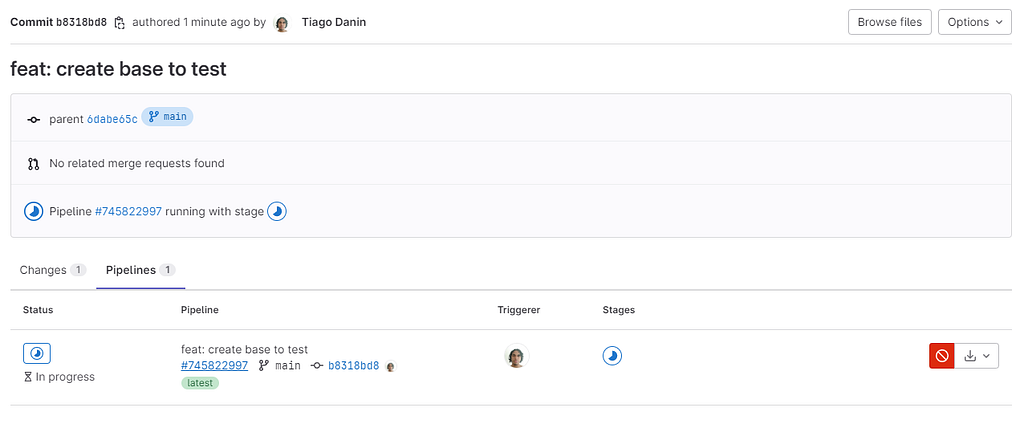
Split into Stages
Organize tasks using the stages key:
stages:
  - build-deps
  - test

build-deps:
  stage: build-deps
  script:
    - yarn install

run_tests:
  stage: test
  script:
    - yarn test
Optimize Execution Time
Implement variables for faster caching:
variables:
  FF_USE_FASTZIP: "true"
  ARTIFACT_COMPRESSION_LEVEL: "fast"
  CACHE_COMPRESSION_LEVEL: "fast"

cache:
  - key:
      files:
        - yarn.lock
    paths:
      - node_modules/
    policy: pull-push
Extract Test Coverage
Use Regex to capture coverage:
run_tests:
  stage: test
  coverage: '/All\\sfiles\[\\s\]\*\\|\[\\s\]\*(\\d+\\.\\d+)/'
  script:
    - yarn test:ci
Configure Timezone
In package.json, use cross-env to ensure compatibility:
{
  "scripts": {
    "test": "cross-env TZ=America/Sao_Paulo jest",
    "test:coverage": "cross-env TZ=America/Sao_Paulo jest --coverage --watchAll=false"
  },
  "devDependencies": {
    "cross-env": "^7.0.3"
  }
}

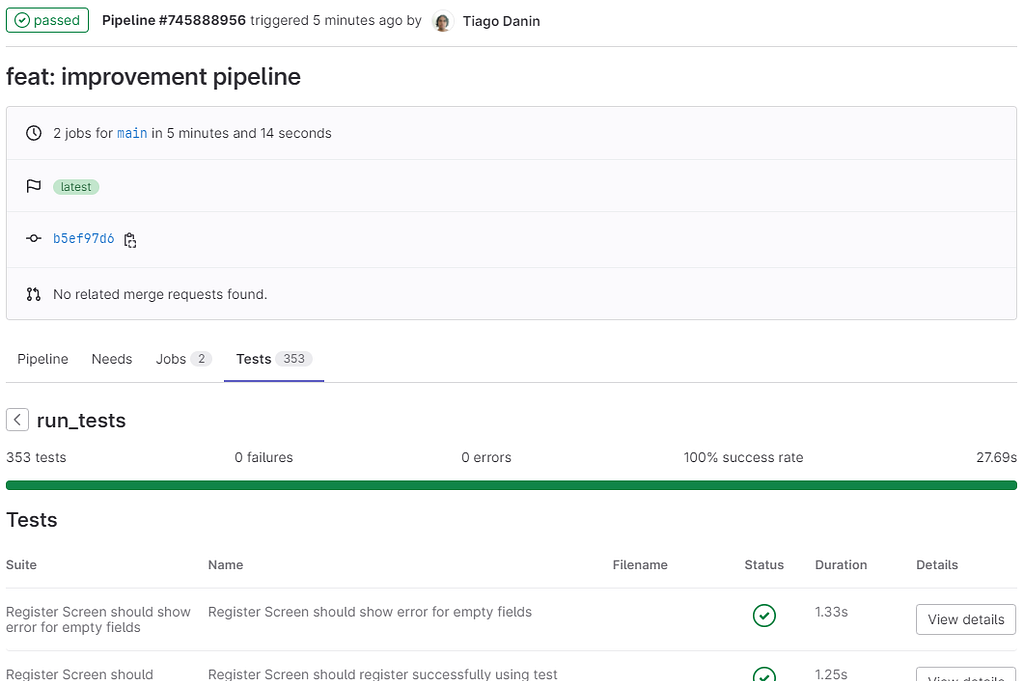
Add JUnit Reports
Install jest-junit:
yarn add jest-junit --dev
Configure in package.json:
{
  "scripts": {
    "test:ci": "cross-env TZ=America/Sao_Paulo jest --coverage --watchAll=false --reporters=default --reporters=jest-junit --silent"
  }
}
And in the pipeline:
run_tests:
  stage: test
  coverage: '/All\\sfiles\[\\s\]\*\\|\[\\s\]\*(\\d+\\.\\d+)/'
  artifacts:
    when: always
    reports:
      junit:
        - junit.xml
  script:
    - yarn test:ci
Final Complete File
image: node:16.10.0

variables:
  FF_USE_FASTZIP: "true"
  ARTIFACT_COMPRESSION_LEVEL: "fast"
  CACHE_COMPRESSION_LEVEL: "fast"

cache:
  - key:
      files:
        - yarn.lock
    paths:
      - node_modules/
    policy: pull-push
  - key: yarn-$CI_JOB_IMAGE
    paths:
      - .yarn
    policy: pull-push

before_script:
  - curl -o- -L https://yarnpkg.com/install.sh | bash
  - export PATH="$HOME/.yarn/bin:$HOME/.config/yarn/global/node_modules/.bin:$PATH"

stages:
  - build-deps
  - test

build-deps:
  stage: build-deps
  script:
    - yarn install --cache-folder .yarn

run_tests:
  stage: test
  coverage: '/All\\sfiles\[\\s\]\*\\|\[\\s\]\*(\\d+\\.\\d+)/'
  artifacts:
    when: always
    reports:
      junit:
        - junit.xml
  script:
    - yarn test:ci

Setting a Timeout
Configure the expiration time in CI/CD Settings >> General pipelines >> Timeout to avoid unexpected costs. The example uses 20 minutes.
Conclusion
The article demonstrates how to use GitLab Pipeline to test React Native applications with time optimizations and quality assurance before approving merge requests.
This article was translated from Portuguese with the help of an LLM. The original version may contain nuances not fully captured in this translation.